Student Accounts
The SUNY Adirondack Student Accounts Office can help answer your student billing and payment questions.
Your next steps
After registering for classes, you will receive a tuition bill from the Student Accounts/Bursar's Office.
- If you are a resident of New York state, please submit a Certificate of Residence to Student Accounts. This form is required for you to qualify for the New York state tuition rate.
- If you're using financial aid, check your status by logging into Self-Service Banner, where you can review your bill to determine the amount of tuition you owe. Learn how.
- Make a payment or set up a payment plan.
- Please complete the parking fee waiver form if you will NOT be driving on campus.
How to pay your bill
- To pay by mail, send a check or money order made payable to SUNY Adirondack, to
SUNY Adirondack
Attn: Student Accounts
640 Bay Road
Queensbury, NY 12804
Please include your Banner ID number.
- To pay in person, go to the Student Accounts cashier window located in Warren Hall at SUNY Adirondack in Queensbury or stop by the office at SUNY Adirondack Saratoga in Wilton.
- To pay online, you can:
- Use a credit card. Visa, MasterCard, Discover or American Express are accepted. Log into mysunyadk student portal using your Network ID and password. Then select the "Banner" link from the menu at the top of the page. After logging in, select “Student Account” from the Student Services menu. Select "Account by term," then the term for which you are paying. Then click "Pay now."
- Use NELNET, an online payment plan. (Note: This is not a loan program; there are no interest or finance charges and no credit check.) There is a $25 per semester NELNET enrollment fee. Authorize an automatic bank payment through NELNET. This is a bank-to-bank transfer of funds you pre-approve for your expenses at SUNY Adirondack. Payments can be made from either your checking or savings account. Payments are processed the 5th of each month and will continue until the balance is paid in full.
- If someone other than the student is paying or setting up a payment plan, the student has to first authorize the party to do so. The student signs in to NELNET following the above directions. Then look for "Add an authorized party" and follow the steps. This is a great option for parents, family members, employers or other third parties who can then make payments without having full access to the student’s account information. The authorized party will receive an email with a customer number. Click the link to go to NELNET and follow the instructions. The authorized party will need to keep the original link from the email to sign back in at a later date, or bookmark the page. (If you do not have the link, the student has to reissue an invitation.)
- Pay in full online using NELNET's e-Cashier. You must authorize the payment to be withdrawn from either a credit card, personal checking or savings account. There is a $1 charge for this service.
- To pay via phone, call 518-743-2266 between 8 a.m. and 4 p.m. Monday through Friday, to use your credit card.
Bookstore loan advance
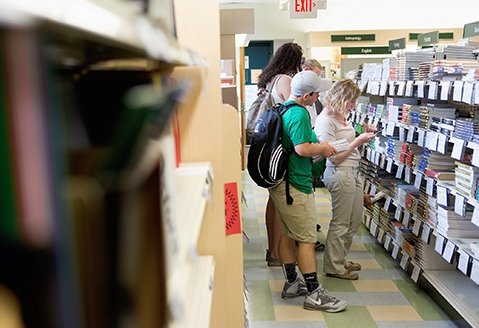
You might eligible to use part of your federal loan to buy your books.
Stephanie Cleveland Hunt
- Assistant director of Business and Financial Affairs
Judy Traver
- Senior Account clerk/typist
Gabriella Vance
- Senior Account clerk
Business Office/Student Accounts/Bursar's Office
- studentaccounts@sunyacc.edu
- 518-743-2266
- 8 a.m. to 4 p.m. Monday through Friday
- Warren Hall, Suite 122